

By using our website you agree to our use of cookies to deliver a better user experience. Cookie Policy.
Accept
Reject
Schedule Settings
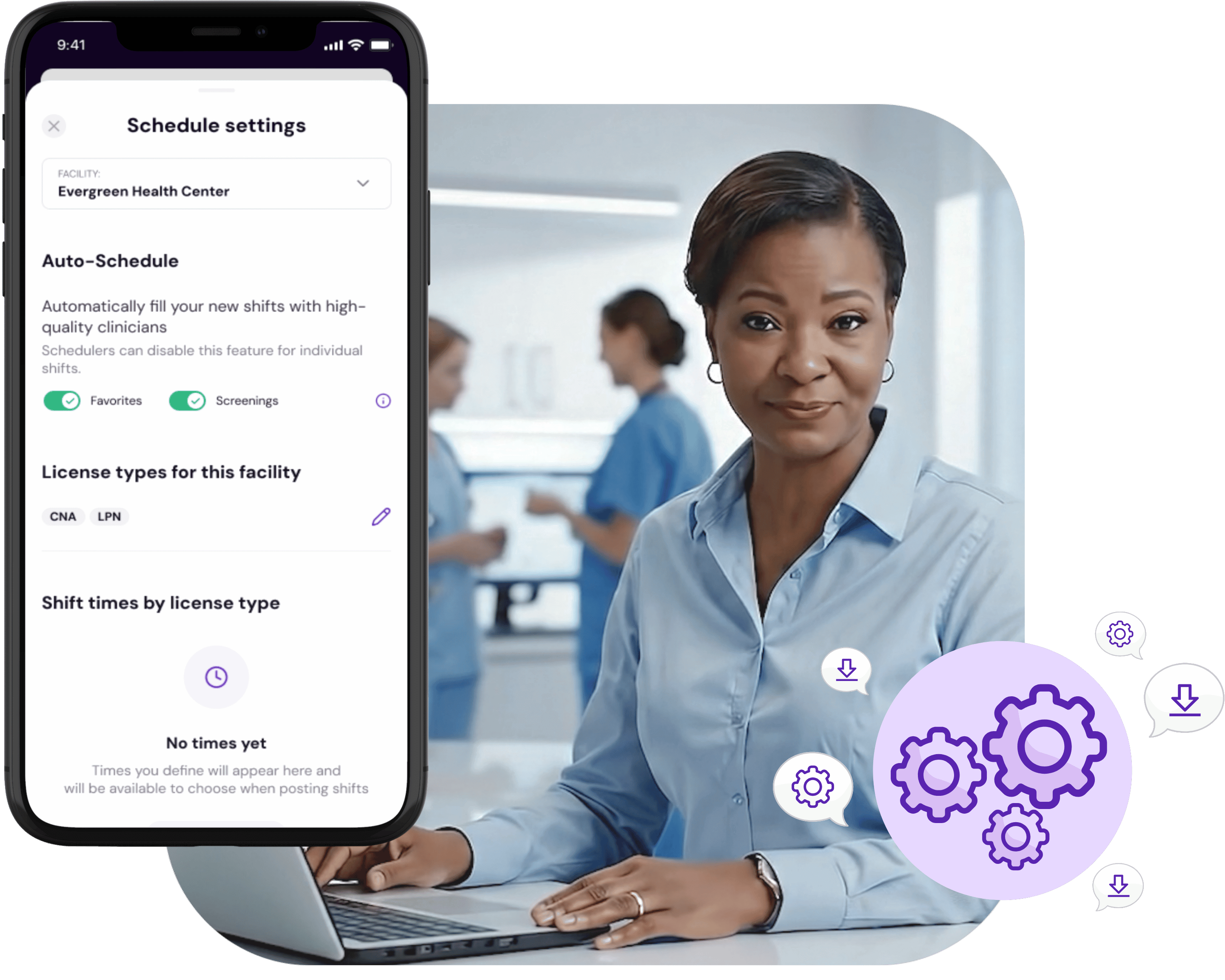
Schedule Settings makes shift posting faster and more consistent. Helping you to reduce clicks, errors, and guesswork across your entire team
Get Started%20(1).png)
Scheduling nursing shifts can be complex and time-consuming. Schedule Settings cut down on manual tasks by automating clinician assignments and standardizing shift details. Customize shift windows by license type and leverage your favorites and screened clinicians lists to fill shifts quickly and accurately.
Automatically assign shifts to the best-fit clinicians based on your preferences.
Reduce manual work and fill shifts faster.
Supports favorites and screened clinician lists.
Define shift times (AM, PM, NOC) by license type for precise scheduling.
Flexibly adapt schedules as your facility’s needs change.
Makes scheduling easier for multi-role teams.
Receive instant notifications when shifts are updated or filled to keep everyone informed.
Improve communication between schedulers and clinicians to minimize last-minute surprises.
Ensure smooth shift transitions with up-to-date information.
Explore more ways your facility can level-up how you fill shifts.
%20(1).png)